





BC.Game promo code: BETHAPLast verified: October 2026
| Mobile route | Status | Where I checked |
|---|---|---|
| Google Play listing | Not found | Play package and store searches |
| App Store listing | Not found | Apple search in three storefronts |
| Android APK file | Not verified | bc.game app download page |
| Install as web app | Yes | bc.game web manifest |
| Mobile browser site | Yes | bc.game in a phone browser |
| Promo code at sign-up | BETHAP | Registration form |
BC.Game reaches phones through its website. My Google Play lookups and an Apple store search returned no BC.Game listing, while the operator site carries a web app manifest that lets a browser install it like an app. New accounts can add BETHAP in the referral and promo field of the sign-up form, and the BC.Game bonus code page lists the current welcome terms.
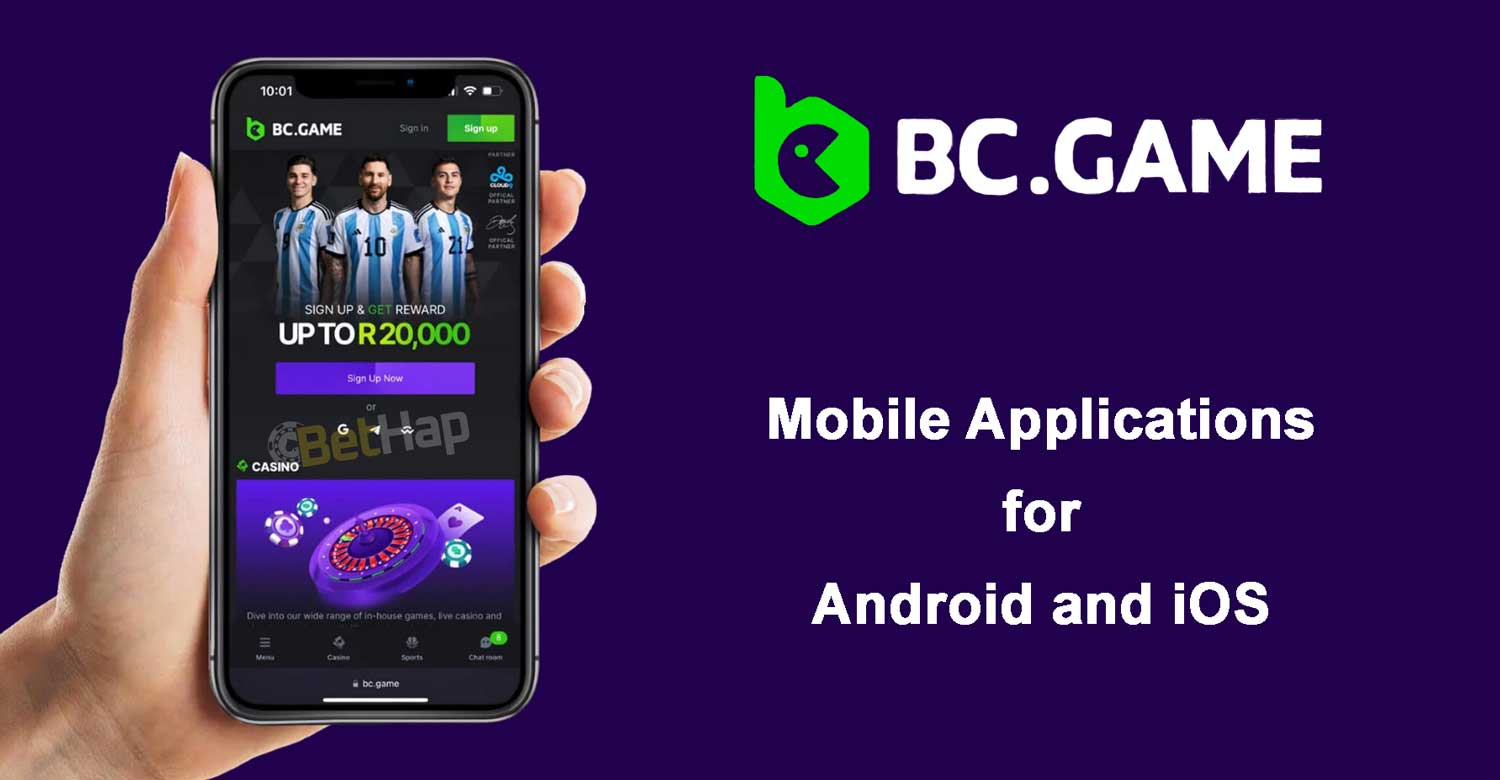
No native BC.Game app turned up in either official store. I looked up the package names com.bcgame, com.bc.game and com.bcgame.app on Google Play, and each returned a not found page. An Apple search for bc.game in the US, UK and German storefronts listed unrelated titles only.
On bc.game itself, the page at /app_download carries the title App Download - BC Game Android Casino Setup Guide, but its content loads through scripts, and no APK file link appeared in the page source. The home page links a web app manifest named BC.GAME with a standalone display mode, which is what allows an install from the browser menu.
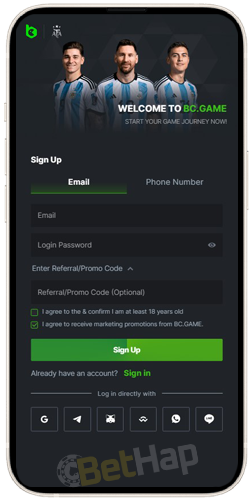
Android phones open BC.Game in Chrome or another mobile browser, with no store download involved. At an earlier check, the operator menu in the upper right corner listed a Download Application option, but no file behind that option could be confirmed on the current site.
At the last check, the sign-up screen on a phone showed Email and Phone Number tabs, a Login Password field, an Enter Referral/Promo Code section, two consent boxes and a green Sign Up control, with Google, Telegram and WhatsApp among the log in options.
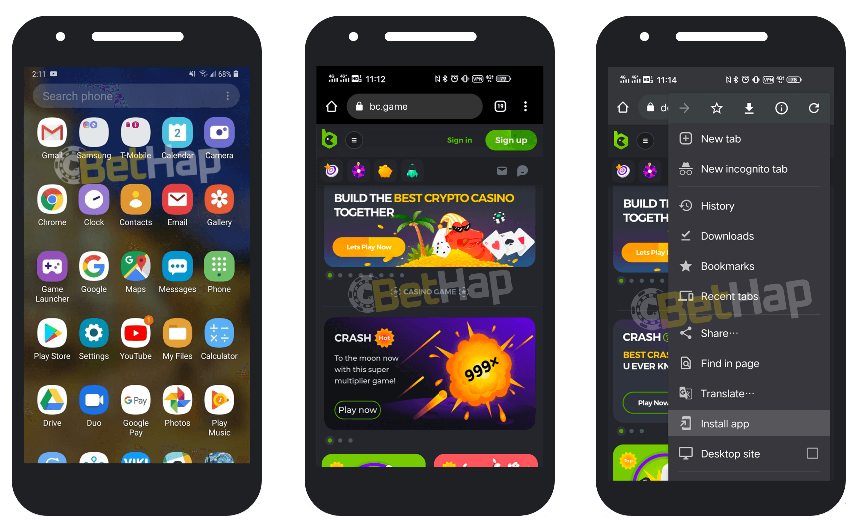
The manifest on bc.game names the app BC.GAME, sets the start address to the home page and asks for a standalone window without browser bars. In Chrome on Android, that turns the site into an installable web app. At the last check, the Chrome menu on bc.game showed the Install app entry above Desktop site.
The Android steps:
| Phone | Route | Store step |
|---|---|---|
| Android handset | Chrome menu, then Install app | None |
Same-name APK files on third party download portals are not tied to the operator by any link from bc.game, so the browser install keeps the route on the official domain.
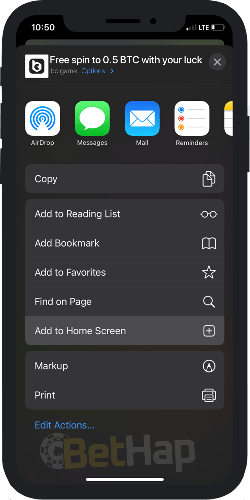
Apple devices take the same web route through Safari. At an earlier check, the iPhone route ran through Safari with an icon placed on the home screen, and at the last check the Safari share sheet on bc.game listed Add to Home Screen between Add to Favorites and Find on Page.
The iPhone steps:
| Phone | Route | Store step |
|---|---|---|
| iPhone | Safari share sheet, then the home screen entry | None |
The bc.game page code includes the apple-mobile-web-app-capable tag set to yes. At the last check, the Safari share sheet on bc.game also showed a Free spin banner at the top, with AirDrop, Messages, Mail and Reminders in the sharing row.
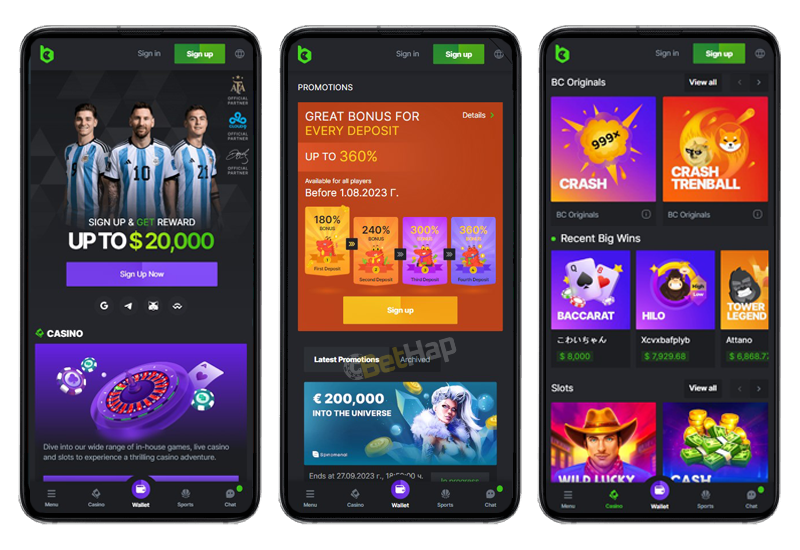
At the last check, the mobile home screen of BC.Game put Sign in and Sign up at the top right, a promotional slider and a Casino section under it, and a bottom bar along the lower edge. The BC Originals screen showed Crash and Crash Trenball tiles, a Recent Big Wins strip and a Slots row with View all links.
The side menu listed Bonus, Quest and Spin, Refer and Earn, Casino, Sports, Lottery, VIP Club, BC Exclusive, Affiliate, Forum, Provably Fair, Blog, Sponsorships and Live Support, with a Dark and Light switch at the bottom. At an earlier check, the old page also noted that the site was available in several languages, while the terms and the help section stayed in English.
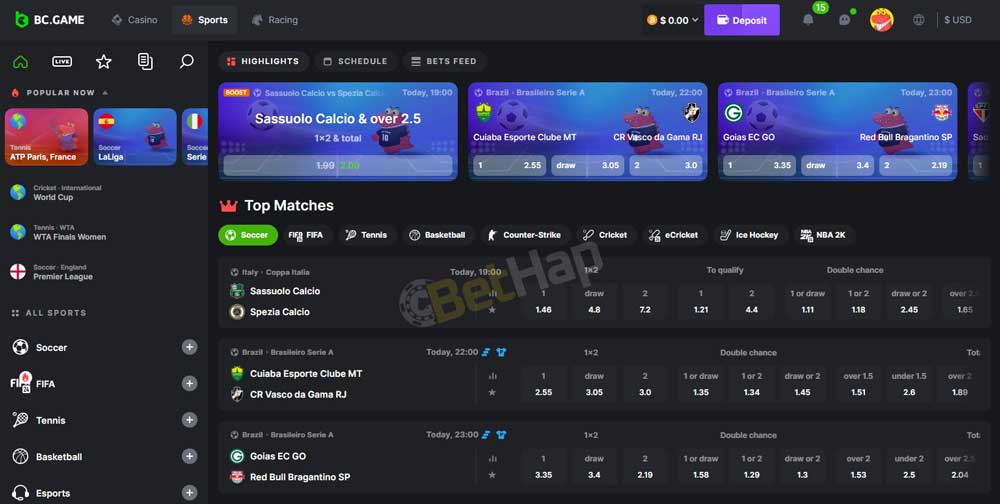
On a computer screen, at the last check, the same menu sat in a left column, with a purple Deposit control in the top bar.
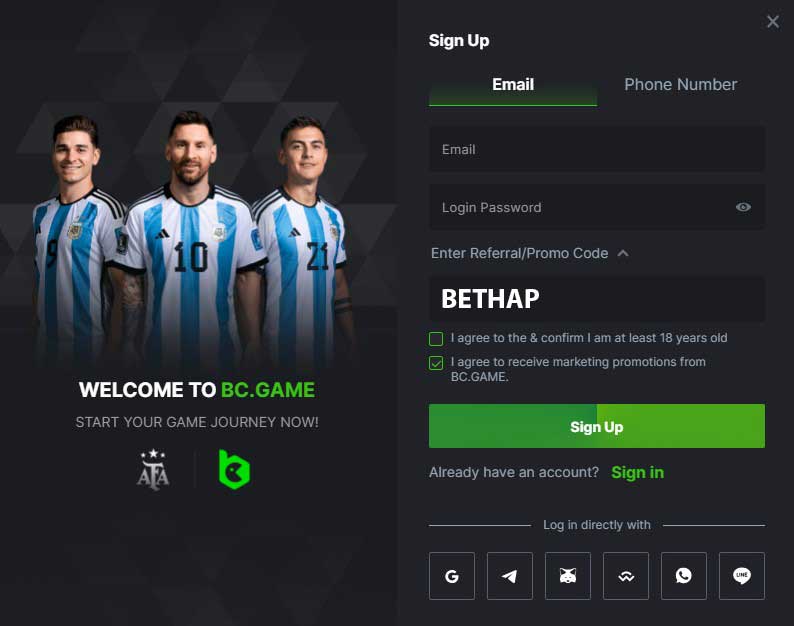
At the last check, the BC.Game sign-up form opened with Email and Phone Number tabs. Below the password field, Enter Referral/Promo Code expands a box for BETHAP, and two check boxes handle the terms with an age confirmation and marketing messages.
At an earlier check, BETHAP carried no separate reward of its own; it only linked the account to the regular BC.Game offers. Social log in through Google, Telegram, WhatsApp and other services sat under the form as an alternative.
At an earlier check, signing in on a phone took four steps: open the app or mobile site, tap Log In, enter the username and password, and confirm. The verification steps described then were longer:
At that earlier check, verification was recommended soon after registration so that withdrawals would not be held up, and the security menu offered two-factor login through Google Authenticator.
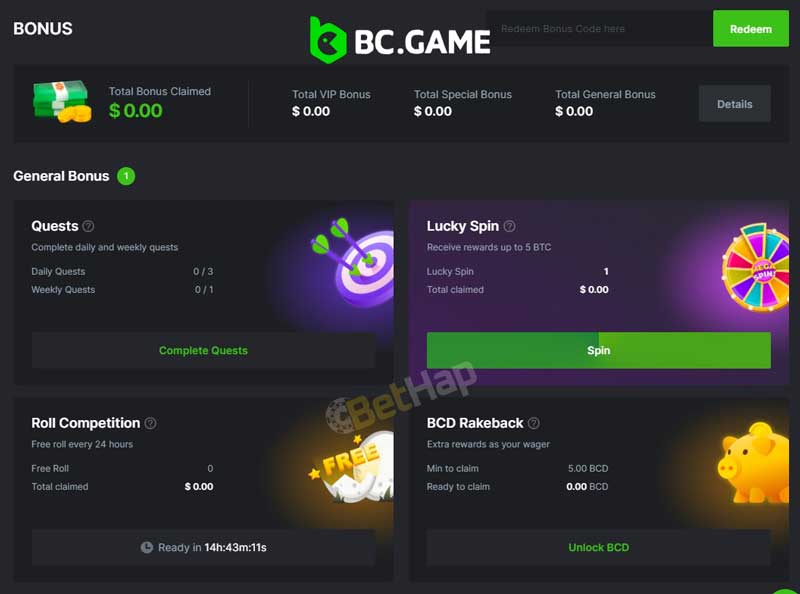
At the last check, the BC.Game Bonus page listed General Bonus cards for Quests, Lucky Spin, Roll Competition and BCD Rakeback, with summary boxes for VIP, special and general bonus totals at the top. Each card carried its own action, such as Complete Quests, Spin or Unlock BCD.
At an earlier check, no bonus was tied to mobile use alone; the offers on phones matched the ones on the desktop site. The BC.Game bonus review lists the reward types in detail.
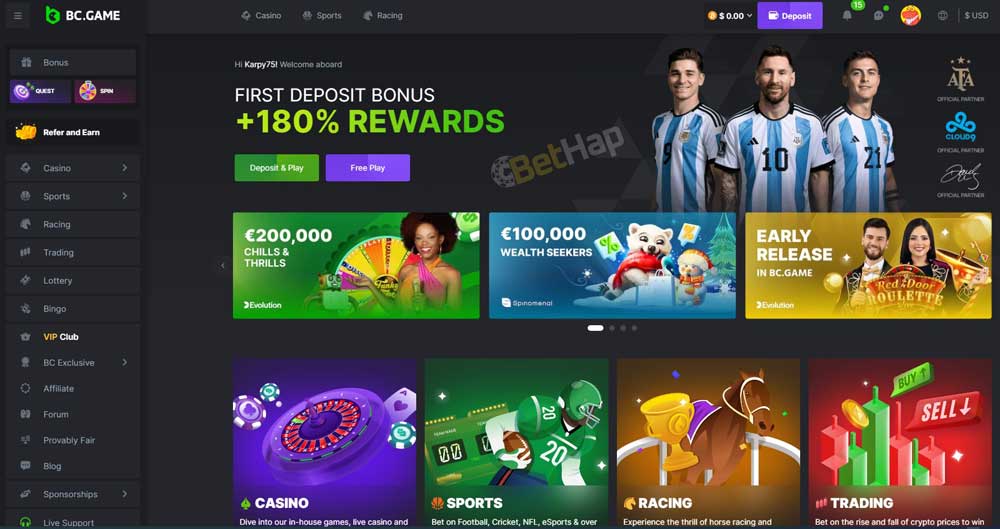
At the last check, the BC.Game home page showed a large Casino tile describing in-house games, live casino and slots. Below a first deposit banner sat promotional cards for studios such as Evolution and Spinomenal, plus an Early Release card for a roulette title.
At an earlier check, the casino listed games from NetEnt, Pragmatic Play, Evolution and Play'n GO, next to BC Originals, the in-house titles. Slots, roulette, baccarat, blackjack and Teen Patti were among the game types, and demo versions were available for a part of the catalogue.
The BC.Game casino review looks at the game lobby in depth.
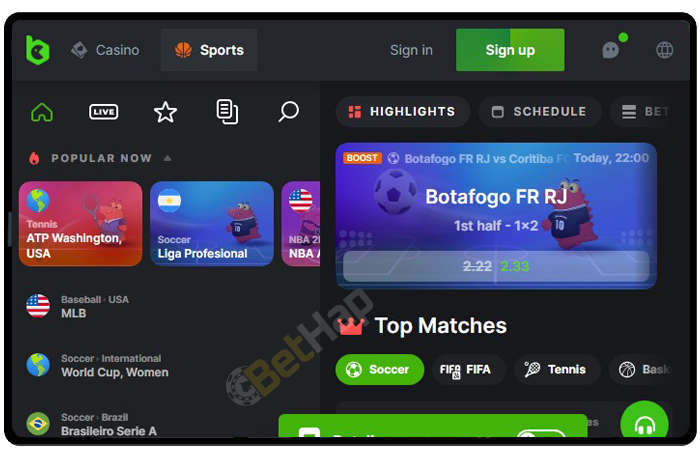
At the last check, the BC.Game mobile site opened with Casino and Sports tabs at the top, Sign in and Sign up on the right and a row of icons for home, search, favourites and history.
| Point | Home screen web app | Browser tab |
|---|---|---|
| Opening | Icon on the home screen or app drawer | Address bar or bookmark |
| Browser bars | Hidden in standalone mode | Visible |
| Store listing | Not needed | Not needed |
At an earlier check, Chrome, Firefox and Safari were all named as supported browsers.
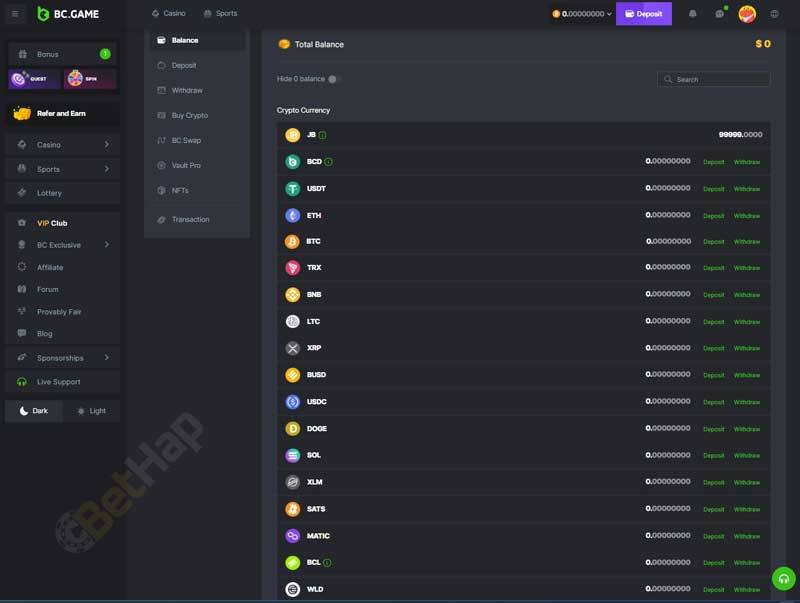
At the last check, the BC.Game wallet area listed Balance, Deposit, Withdraw, Buy Crypto, BC Swap, Vault Pro, NFTs and Transaction. The Crypto Currency list started with JB, BCD, USDT, ETH, BTC, TRX, BNB, LTC, XRP, BUSD, USDC, DOGE, SOL, XLM, SATS, MATIC, BCL and WLD.
| Method | Deposit | Withdrawal | Note |
|---|---|---|---|
| BTC | Yes | Yes | Earlier check and wallet list |
| TRX | Yes | Yes | Earlier check and wallet list |
| Bank transfer | Yes | Not confirmed | Earlier check |
At an earlier check, a deposit on mobile ran through the Wallet control at the top right: pick a coin or fiat option in Deposit, copy or scan the wallet address, enter the sum and confirm. BC Swap converted one coin into another, and Buy Crypto opened a purchase screen inside the wallet.
BC.Game has no listing on Google Play or the App Store, and no APK file could be confirmed on bc.game. The route the operator site supports in its own code is the web app: the Install app entry in the Chrome menu for Android phones and the share sheet entry in Safari for iPhones.
At an earlier check, help came through a live chat, an email address, a community chat and a forum. The BC.Game review looks at the brand as a whole, and new accounts can enter BETHAP in the sign-up form.