




Last verified: October 2026
| Door into PowBet | Can I use it? | My October 2026 finding |
|---|---|---|
| Google Play | No | The apps called Powbet there come from unrelated developers and are simple arcade games |
| Apple listings | No | No betting app from PowBet; the one PowBet title tied to Apple is a puzzle game |
| APK file | No - I avoid it | powbet.com offers no APK; files on other sites do not come from PowBet |
| Mobile website | Yes - main route | powbet.com in Chrome or Safari, where the site is open |
| Installed web app | Yes | Added from the browser to my Home Screen on Android and iPhone |
My search for a PowBet app ended in the browser, not in a store. The bookmaker publishes no Google Play listing, no App Store app and no APK. What powbet.com does ship is a site built to be installed as a web app, so I put its icon on my Home Screen and skip the stores entirely. This guide covers how I did that on Android and iPhone, what the installed version can do, and which fake apps I stayed away from.
The site code behind powbet.com includes a web app manifest and a service worker, the two parts a browser needs to treat a website like an app. That is the only official install route I could find. There is no download button, no APK link and no store badge on the site.
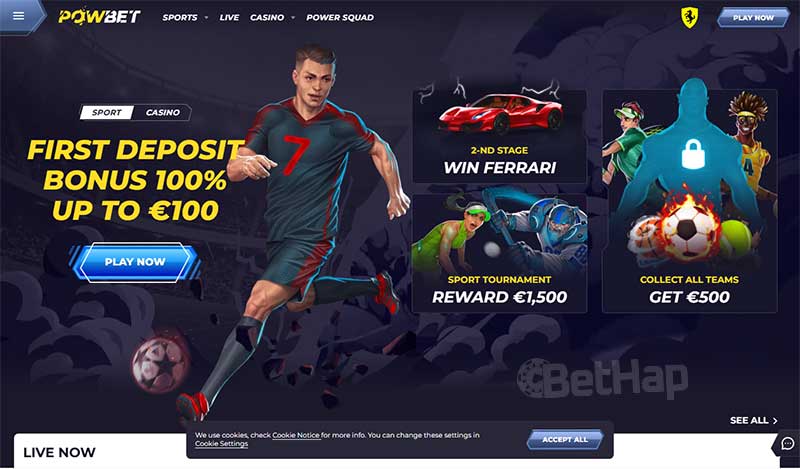
In practice the installed icon opens the same PowBet I see on desktop, minus the browser frame. Nothing is stored on the phone apart from the usual browser cache, and the site updates itself whenever PowBet changes it.
| Android detail | How it went for me |
|---|---|
| Browser used | Chrome, on its newest release |
| Menu entry | Install app, or Add to Home Screen on some models |
| Icon location | Home Screen and app drawer |
| Things I left alone | Any APK, and any Play app carrying the Powbet name |
Apple has no PowBet betting app, so the App Store is a dead end. Safari does the job instead, and the result feels close to a real app.
| iPhone detail | How it went for me |
|---|---|
| Browser used | Safari - other iPhone browsers may hide the option |
| Store search result | Nothing official to download |
| Tile behaviour | Full screen, same account as on the website |
| Red flags I ignore | Links asking me to trust an unknown developer profile |
| Requirement | Android | iPhone or iPad |
|---|---|---|
| Starting point | powbet.com in Chrome | powbet.com in Safari |
| Official store listing | None | None |
| Software | A current Chrome build | A recent iOS with Safari |
| Storage used | Cached site data, nothing more | Cached site data, nothing more |
| Price | Free | Free |
Because nothing is downloaded, there is no version number or file size to track. If a page claims a specific PowBet app size or build, I treat that as a sign it is not talking about the real site.
The installed web app uses the same registration form as the desktop site, so I can open an account straight from the icon.
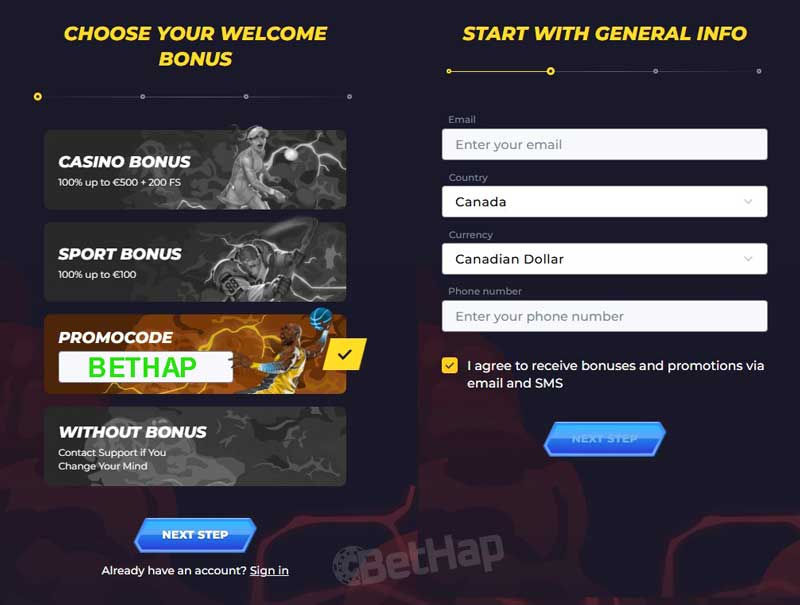
BETHAP is the code bethap readers enter at PowBet, and I did not see a separate reward reserved for the web app - it is the same site, so the same offers apply. The current deal terms sit on my PowBet promo code page, and the full list of running offers is in my PowBet bonuses guide.
The cashier inside the installed icon is the same one I use on desktop. Each method shows as a tile with its own fee and limit line, and the list changes with my country and currency.
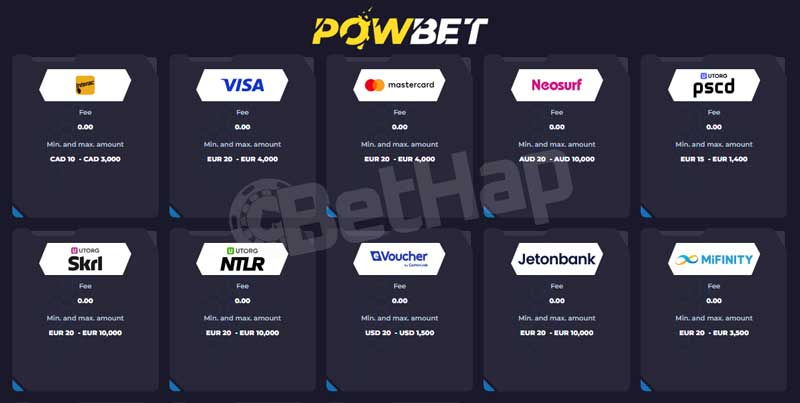
| Cashier tile | Method type | My note |
|---|---|---|
| Visa plus Mastercard | Bank card | Shown on the cashier screen I opened |
| Neosurf | Prepaid voucher | Bought in advance, then entered as a code |
| Paysafecard | Prepaid voucher | Code-based top-ups |
| Skrill | E-wallet | Listed on its own tile |
| Neteller | E-wallet | Listed on its own tile |
| CashtoCode eVoucher | Cash voucher | Paid in cash, then redeemed online |
| Jetonbank | Online wallet | Appears in the same tile grid |
| MiFinity | E-wallet | Appears in the same tile grid |
| Bitcoin, Ethereum and other crypto | Digital coins | Offered in some regions |
Methods differ by country, so I read the tile itself for the fee and the limits instead of trusting numbers from other websites. PowBet checks ID before a first payout, so I upload my documents early to avoid a hold-up.
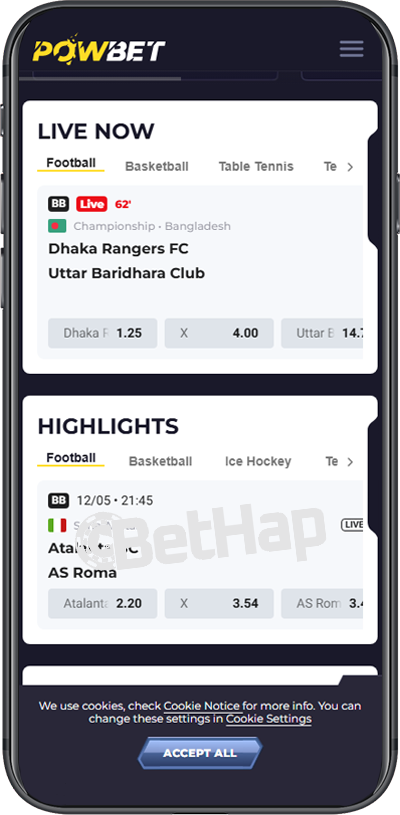
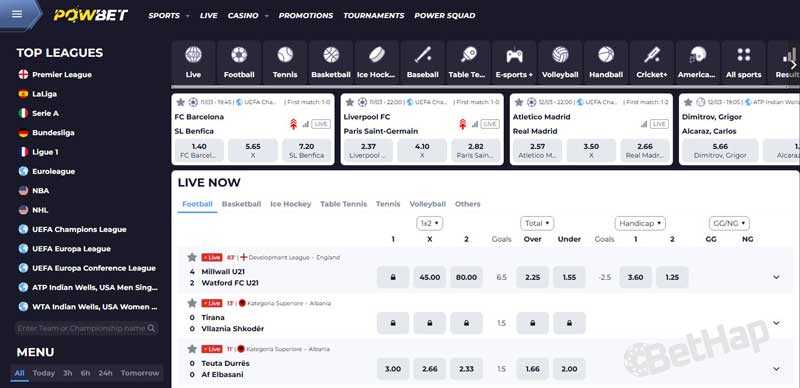
The sportsbook, live odds and slot lobby all fit the phone screen without zooming, and I move between them through the menu icon in the top corner. Bet slips, my balance and account settings work exactly as they do on a laptop.
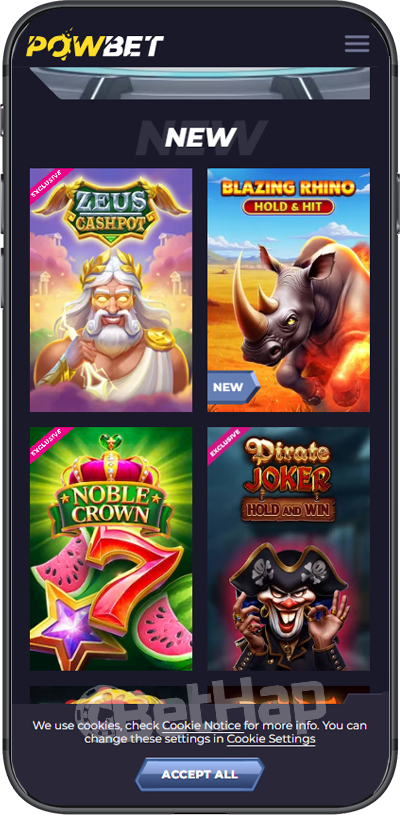
I keep this page about getting PowBet onto a phone. I give the slot studios, live tables and full lobby a separate test in my PowBet casino review.
| Point of comparison | Installed PowBet tile | powbet.com in a browser tab |
|---|---|---|
| Opening it | A single tap on the icon | Type the address or use a bookmark |
| Screen space | Full screen, no address bar | Browser bars stay visible |
| Login | Same PowBet account | Same PowBet account |
| Updates | Arrive by themselves | Arrive by themselves |
| My usual pick for | Daily use | A quick look on a borrowed phone |
Both routes show the same games, odds and cashier. I prefer the icon because it keeps PowBet one tap away and hides the browser clutter.
Searching for a PowBet app turns up several traps. Google Play lists apps using the Powbet name that are arcade games from unrelated developers. Some websites with similar addresses offer a so-called PowBet APK or claim an App Store version. None of these come from the bookmaker, and a file from an unofficial site could ask for card details or carry unwanted software.
For a wider look at the brand itself, my PowBet review covers the sportsbook and the rest of the site.
Live chat runs 24/7 and opens from the same screen inside the installed icon. For longer cases or documents I write to [email protected]. I keep my questions short and in one message, which tends to get the fastest answer.
In October 2026 there is still no PowBet app in Google Play or the App Store, and I would not trust any APK claiming otherwise. The official route is powbet.com, installed as a web app from Chrome on Android or from Safari on iPhone. It uses no real storage and keeps my account, deposits and bets in one place. I register with BETHAP, keep my ID ready for the first payout and play only with money I can spare.