





I use my phone for almost all of my online betting, so testing the SpinBetter app was one of the first things I wanted to do. Instead of spending only a few minutes browsing the homepage, I installed the Android version, added the iPhone version to my Home Screen, played casino games, placed sports bets, watched live events, checked deposits, withdrawals, and switched between Wi-Fi and mobile data to see how stable everything remained.
This review is entirely based on my own experience using the mobile platform during several testing sessions. If you're wondering whether the SpinBetter mobile app is worth downloading in 2026, here is exactly what I found.
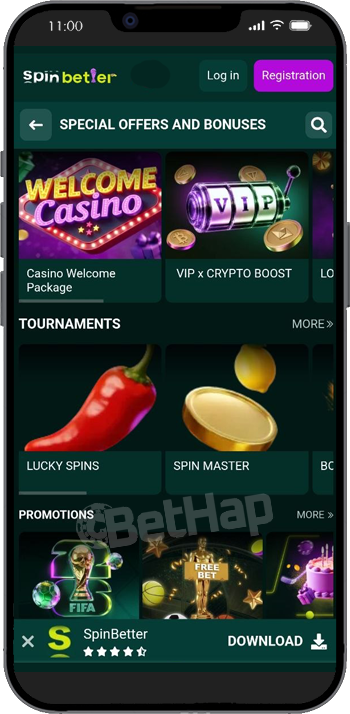
Yes, although the experience depends on your device. For Android, SpinBetter offers a dedicated APK that can be downloaded directly from the official website. It installs like many other betting applications and gives you full access to every feature.
For the iPhone, there is no App Store application. Instead, SpinBetter uses a Progressive Web App (PWA). After adding the website to your Home Screen through Safari, it behaves almost like a native application. Here's the difference:
| Feature | Android App | iPhone |
|---|---|---|
| APK available | ✅ Yes | ❌ No |
| Home Screen icon | ✅ Yes | ✅ Yes |
| Full-screen mode | ✅ Yes | ✅ Yes |
| Sports betting | ✅ | ✅ |
| Casino games | ✅ | ✅ |
| Live casino | ✅ | ✅ |
| Automatic updates | ✅ | ✅ |
After testing both versions, I honestly didn't feel like iPhone users were missing much. The Android version feels slightly more native, but both delivered almost the same experience during everyday use.
Installing the SpinBetter Android app only took a minute. I opened the official SpinBetter website and immediately noticed the Android download button. Pressing it started downloading the APK file. Android displayed the standard security message saying that files from outside Google Play could potentially be harmful. The installation looked exactly like this:
Open the official SpinBetter website.
Tap Android Download.
Confirm the APK download.
Open your phone Settings.
Enable Install Unknown Apps for your browser.
Return to the downloaded APK.
Press Install.
Wait a few seconds.
Open the SpinBetter app.
The installation finished surprisingly quickly. I didn't have to create shortcuts manually, restart my phone, or download additional files. Once installed, the application appeared together with my other apps exactly where I expected it.
The iPhone version of SpinBetter works differently because there isn't a traditional App Store download.
Instead, SpinBetter recommends adding the website to your Home Screen as a Progressive Web App. I tested this on Safari and the whole process felt very straightforward. These were my steps:
Open Safari.
Visit the official SpinBetter website.
Wait until the page loads completely.
Press the Share button.
Choose Add to Home Screen.
Confirm by pressing Add.
Launch SpinBetter from the new icon.
The new icon immediately appeared on my iPhone, and opening it launched SpinBetter in full-screen mode without Safari's address bar constantly taking space.
Honestly, after five minutes I almost forgot I wasn't using a traditional App Store application.
The interface looked identical to Android, navigation remained smooth, and every section opened without delays.
One advantage of the PWA is that it updates automatically whenever the website changes, so there is never a need to install new versions manually.
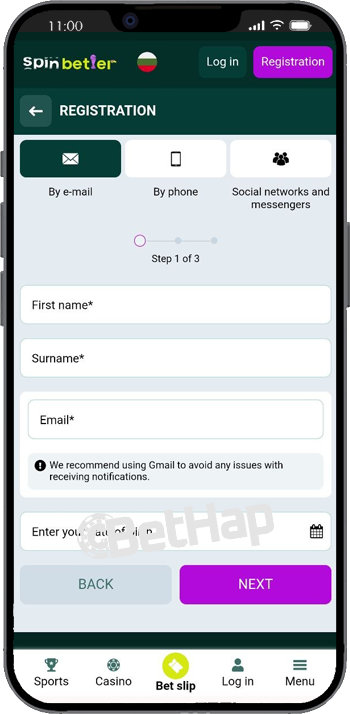
Instead of immediately placing bets, I spent my first hour exploring every corner of the application. I always do this because navigation matters just as much as the betting markets themselves. During my first session I:
Logged into my account.
Checked the promotions page.
Opened the sportsbook.
Added several NBA matches to my bet slip.
Searched for slot games.
Opened the live casino.
Checked my betting history.
Tested the search function.
Switched between portrait and landscape mode.
Everything felt organised. I also purposely switched between Wi-Fi and 5G several times while using the app. None of my open sessions disappeared, and the games continued running normally after reconnecting.
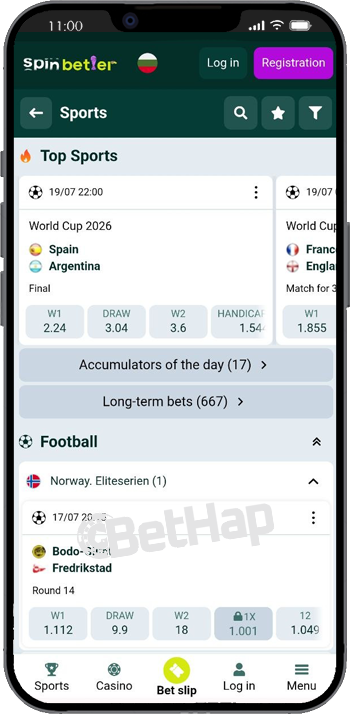
Sports betting is clearly one of the strongest parts of the mobile app. During my testing I mainly followed:
Football
Basketball
Tennis
Formula 1
Esports
The search function worked very well. Typing only a few letters immediately displayed relevant matches, which saved a lot of scrolling. Live betting also impressed me.
Odds refreshed continuously without freezing, and I could edit my bet slip without leaving the match page.
SpinBetter offers more than 1,000 sporting events every day, so I intentionally jumped between different sports to see whether navigation became confusing, but it didn’t. I also tested several betting types, including:
Single bets
Accumulators
System bets
Chain bets
Multibets
The bet slip stayed responsive throughout. One feature I used repeatedly was the quick access to betting history. Instead of searching through menus, I could instantly check whether my previous wagers had settled.
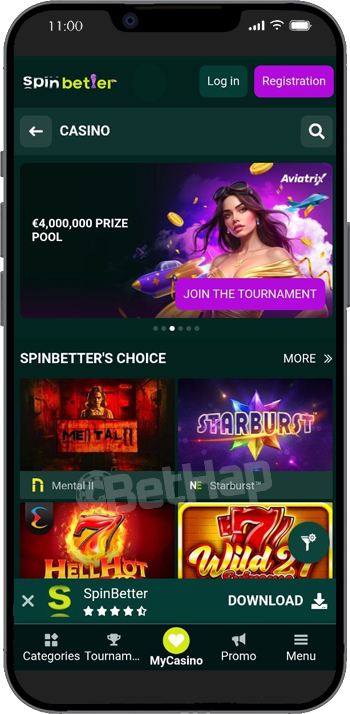
After spending time in the sportsbook, I switched to the SpinBetter casino section. The mobile casino looked exactly like the desktop version, only better optimised for smaller screens. Finding games was simple thanks to filters and provider categories. During testing I played:
Mental II
Starburst
Hell Hot 100
Wild 27 Extreme
Crown Coins
Fortune Power Hold & Win
3 Fortune Mummies
Juicy Wins x10000
Games loaded within seconds. I also searched for titles using the search bar instead of browsing categories, and every game appeared almost instantly. One thing I genuinely liked was how well portrait mode worked.
The live casino section became one of my favourite parts of the app. I wanted to see whether live streams remained stable on mobile data, so I deliberately tested them outside my home Wi-Fi. The games I played included:
Crazy Time
Monopoly Live
Lightning Roulette
Blackjack
Dragon Tiger
Ice Fishing
Video quality stayed sharp throughout. Dealer audio remained synchronised with the stream, and table controls never blocked the screen. I especially liked how quickly I could move between different tables.
Although both versions contain exactly the same betting markets and games, I preferred using the installed application.
| Mobile Website | SpinBetter App |
|---|---|
| Opens through browser | Opens directly |
| Browser navigation visible | Full-screen experience |
| Slightly slower launch | Faster access |
| Same account | Same account |
| Same bonuses | Same bonuses |
| Same games | Same games |
Several things stood out during testing. My favourite features were:
Fast loading speed.
Very stable sportsbook.
Smooth live casino streams.
Excellent game search.
Simple navigation.
Low battery usage.
Easy switching between casino and sports.
Quick access to betting history.
Full functionality on both Android and iPhone.
I also liked that I could use exactly the same account across desktop and mobile without needing separate verification. When I registered, I also entered the SpinBetter promo code - BETHAP, which unlocked the available promotional offer before I started testing the app.
Overall, my experience was very positive. Still, I think there are a few small improvements that could make the app even better. Personally, I would like to see:
An official Google Play version.
An App Store application for iPhone users.
Face ID or fingerprint login on more devices.
Push notifications for favourite sporting events.
None of these affected my actual betting sessions, but they would make everyday use even more convenient.
After testing both mobile versions properly, I can confidently say yes. The Android APK installs quickly and performs exactly like I expected from a modern betting application. The iPhone version surprised me because the Progressive Web App feels much closer to a native application than I initially expected.
Throughout my testing I used the sportsbook, casino, live casino, promotions, account settings and betting history without experiencing crashes or major slowdowns.
If you mainly place bets from your phone, downloading the SpinBetter app or adding the iPhone version to your Home Screen is definitely worth doing. It makes accessing your account much faster, keeps every feature within easy reach, and delivers almost everything the desktop version offers in a mobile-friendly format.